Built around the guest experience
Restaurant menu design for the way guests order
Good restaurant menu design makes the next choice easy to find. Group dishes in a familiar order, keep names and prices readable, and choose a layout that fits how guests use your menu.
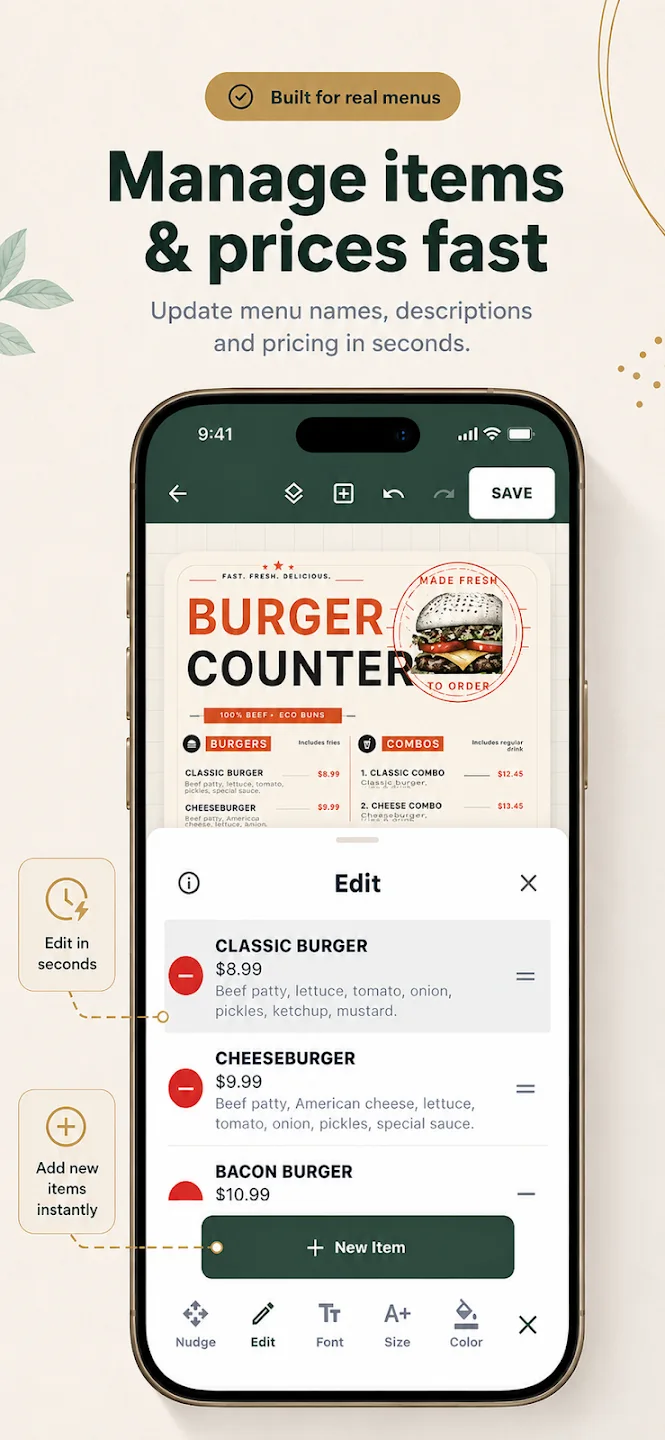
Start with the type of service
A dine-in menu may include starters, mains, sides, and desserts. A counter menu may need a shorter list with combos and add-ons easy to spot. A drinks menu may work better with sections for coffee, tea, cold drinks, and seasonal specials.
These are examples, not fixed rules. Use section names familiar to your regulars and keep the order close to how guests tend to browse.
Keep each dish easy to compare
- Give the item name the strongest reading emphasis.
- Keep a description brief and useful; call out a distinction rather than repeating the name.
- Place prices consistently so guests can compare without searching.
- Use photos where they clarify a dish or support a visual menu style.
Menu Maker’s editable templates let you change item text, prices, descriptions, images, colors, and sections in the app. Review the finished menu against your live offerings before sharing or printing.
Match a template to the format
Menu Maker’s gallery includes starting layouts for restaurants, cafes, fast food, desserts, drinks, fine dining, bakeries, bars, and food trucks. Try a layout with your longest dish name and busiest section before committing to its visual style.
Browse menu design templates or read a broader menu design guide. The editor is in the mobile app; hosted restaurant menu pages are not available on MenuDock yet.
Restaurant menu questions
Useful details
Can I design menus for different restaurant formats?
Can I update menu names and prices?
Does MenuDock host my restaurant menu online?
Start creating
Make a menu that fits your restaurant.
Start with an editable template in the Menu Maker app.