A clear answer about online editing
Looking for an online menu maker? Start here.
MenuDock does not have a browser-based editor. Menu design happens in the existing Menu Maker mobile app, where you can create a design and export or share the file from your device.
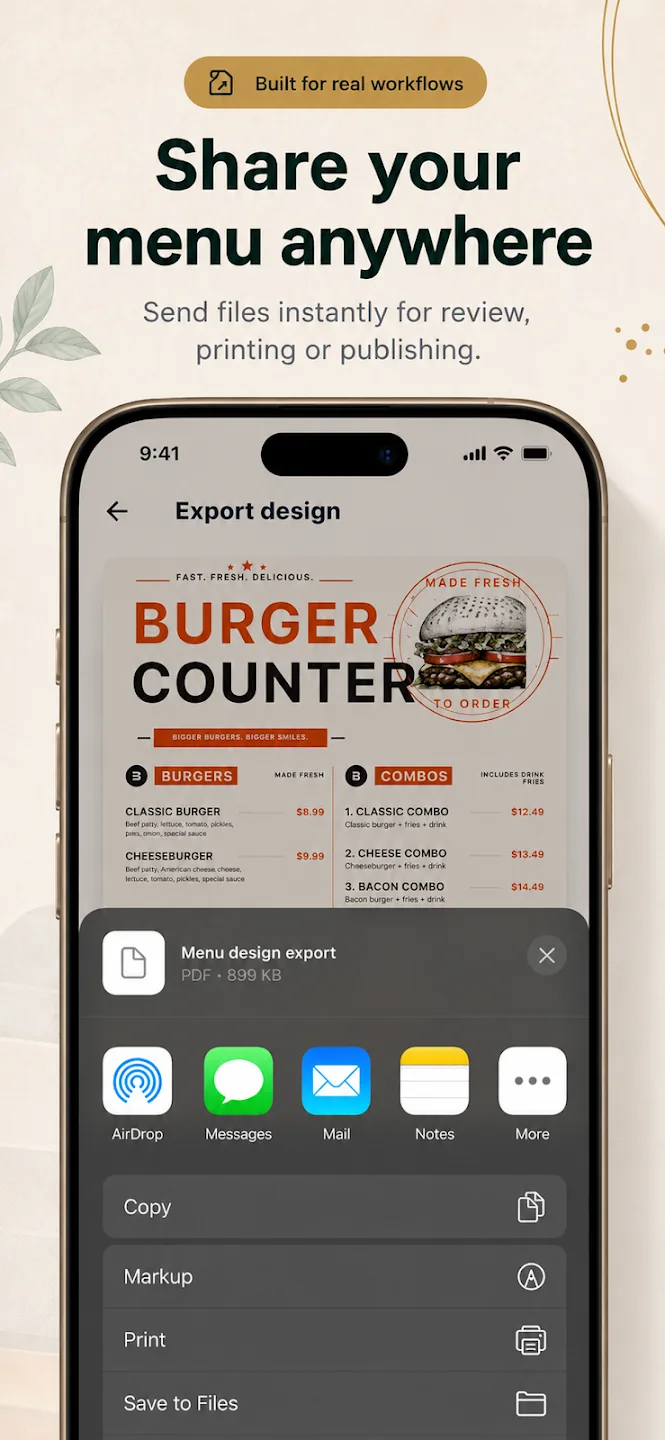
There is no browser-based menu editor today
If by “online menu maker” you mean editing a menu in a desktop browser, MenuDock does not offer that workflow. The design editor is in the existing Menu Maker mobile app for iOS and Android.
We state that up front so you can choose the right tool. This page does not claim that MenuDock can create or edit a menu online in your browser.
Create on mobile, then export or share the design
In Menu Maker, choose an editable template, update the menu text and prices, adjust the visual details, and export or share a design from your device. The current export screen shows standard-quality PNG on the free plan; PDF export is marked Pro.
That file-sharing option is useful for sending a design to a colleague or printer. It is different from a MenuDock-hosted online menu page.
QR menu export is not permanent menu hosting
The Menu Maker export screen also labels QR Menu as Pro. MenuDock’s online hosting and permanent public menu URLs are planned, not available. A QR menu design option in the app should not be read as a MenuDock-hosted page that you can update at a permanent link.
If you want to start with the mobile workflow, see the Menu Maker app. For plan limits, read what the free menu maker includes.
Online menu questions
What works today
Can I design a menu in my browser?
Can I share the menu file online?
Does the QR option create a permanent hosted menu link?
Start creating
Design on your phone with Menu Maker.
Download the mobile app for iOS or Android.